Chromebooks and browser games: understanding what is running
One computer, different ways into a game
Saying a game works on a Chromebook still leaves one question open: how it is running. Google distinguishes browser games, Android applications, and cloud gaming services among the options on these devices. [CH1] Sharing a screen does not mean sharing the same path into play.
The distinction is useful when looking for instructions. Installing an application, opening a web game, and entering a streaming service may involve different steps. A solution found for one experience cannot automatically be transferred to the others.
| Way of playing | What to identify | |---|---| | Web game running in the browser | The game's address and that page's instructions | | Android application | The installed app and its compatibility with the device | | Game streamed from the cloud | The service used and its access conditions |
Google also notes that Android app availability depends on the Chromebook and that some apps do not work on particular devices. [CH2] That does not, by itself, determine whether a specific web game is usable: these are separate checks.
The browser alone does not explain the whole experience
Even a page opened in the browser may belong to a cloud gaming service. Identifying the product being used is therefore more useful than inferring its operation solely from the window in which it appears.
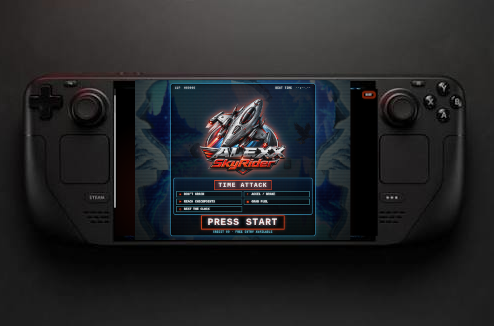
In ALEXX SkyRider™, the inspected demos contain the game that runs in the browser: movement, drawing, and control logic form part of the web experience's files. [CH3] An Android application does not need to be installed to use that presentation of the project.
This description clarifies the path into play, but does not promise identical results on every computer. Understanding the experience still requires observing what happens after loading: entering the route, controlling the ship, hearing the audio, and completing the expected transitions.
The documented Chromebook experience
The Journal recounts that, after testing on Linux, Alejandro tried the project on a Chromebook and was able to play it. The Gate includes Chromebook among the environments used. [CH4] The result extended the creator's experience beyond his main Windows computer.
The reviewed texts do not provide a model, ChromeOS version, duration, or a specific FPS measurement for that device here. The case therefore establishes a recorded playing experience without becoming a benchmark or extending the result to the whole category.
For someone repeating the check, a concrete description retains more value than a general “it works.” Recording which demo was opened, which control was used, and whether the route was completed is useful. If audio or a command fails, that result should be retained separately, even when other parts of the session work.
A concrete way into ALEXX SkyRider™
The Gate offers two demos with routes of two bridges and unlimited ships. [CH3] Players can select a sample, read its controls, and check its response on their Chromebook. Recognizing the type of game avoids looking for an Android installation that does not belong to those demos.
In this context, PLUG AND PLAY describes an aim of direct access. The documented test contributes a real experience to that aim; observation on each computer establishes its scope more precisely. The final question is practical: how ALEXX SkyRider™ behaves during the route the player has just opened.
Sources
- CH1: www.google.com
- CH2: support.google.com
- CH3: Project documentation — Portal
- CH4: Project documentation — Portal · One game, different computers: what the documented tests reveal