Loading, FPS and smoothness: what each indicator tells you
“It runs slowly” can describe different things
A wait before starting, motion that appears to jump, and a command whose result takes time to appear may all be described with the same words. They occur at different moments, however, and require different observations.
Explaining a session should begin with what is perceived, before looking for a cause. Does the issue occur while the game loads? During a particular section? After pressing a button? The answer organizes the record without attributing every difficulty to the connection or the computer.
| Aspect | What is observed | |---|---| | Initial loading | Time until the experience is ready to begin | | FPS | Frame frequency estimated by the counter being used | | Regularity | How intervals between frames are distributed | | Control response | The timing relationship between a command and its visible effect | | Session stability | Whether the game continues operating throughout the route |
These aspects are related, but one number does not describe all of them. Google's performance documentation distinguishes page loading from responsiveness during use and explains how rendering work can produce visible interruptions. [F1]
The interval behind the number
FPS means frames per second. As a mathematical reference, a uniform rate of 60 frames per second corresponds to about 16.7 milliseconds per frame; at 30, the interval is about 33.3 milliseconds. These are examples for interpreting a rate, not ALEXX SkyRider™ measurements.
The average does not preserve the entire timing distribution on its own. Knowing how many frames occurred within a period does not establish whether they were regularly spaced or whether some intervals were longer. The counter reading should therefore be related to the particular moment an interruption was observed.
How the number is obtained matters too. MDN explains that browser animation calls generally follow the display's refresh rate and are suspended in background tabs by many browsers. [F2] An observation made while switching tabs needs that context.
What the ALEXX SkyRider™ counter measures
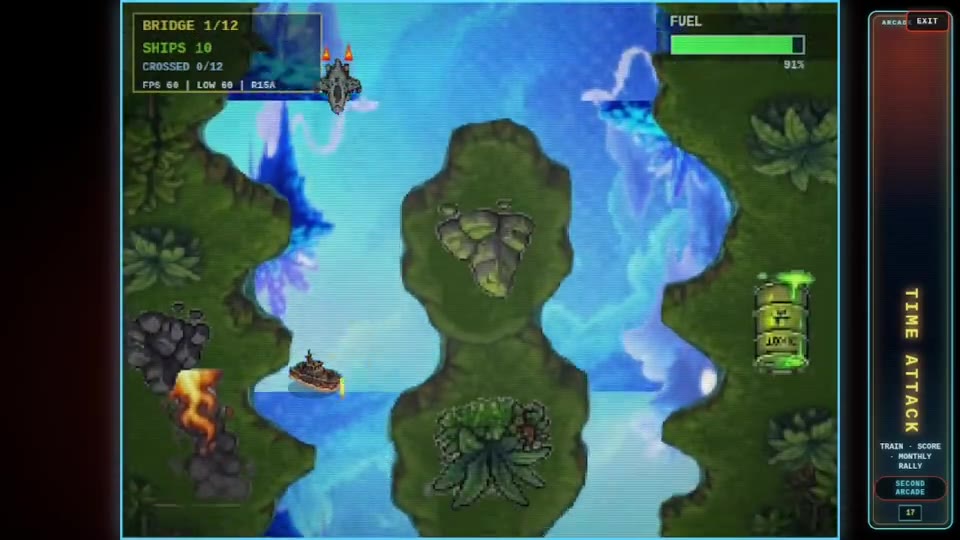
In the inspected Arcade Principal demo, the FPS indicator estimates its loop frequency from elapsed time and the number of iterations. It updates the reading when the sample window reaches at least half a second; an interruption can extend that period. [F3] It is an internal session reference: it does not directly count the frames actually shown by the display or measure the entire time from a button press to its visible effect.
LOW summarizes the lowest instantaneous rate calculated within that window from positive intervals shorter than one second. If none were valid, it shows the window's average. [F3] It is not a “1% low” measurement and does not retain the minimum for the entire run. To interpret a drop, record what was happening at that moment and whether the interruption occurred again.
A record that explains what happened
Comparing attempts should use the same version and a recognizable section. A report can record the computer, browser, controller, duration, and observed situation: an interruption during an approach, for example, or a delay before entering the game. The symptom description should remain separate from any explanation that has not yet been checked.
In ALEXX SkyRider™, the counter accompanies piloting but does not replace it. Players also need to correct position, fire, brake, and continue along the route. Relating those actions to the readings describes the experience more precisely than merely saying a number went up or down.
Sources
- F1: web.dev
- F2: developer.mozilla.org
- F3: Project documentation — Portal