Moving, firing, accelerating and braking: how the controls work together
Four actions, one maneuver
A ship may need to move sideways, keep firing, and reduce its forward pace during the same approach. Knowing each command separately is the beginning; learning to combine them makes them useful within the route.
The control layout matters because it determines how those decisions are communicated. Some commands share a group of keys or a stick; others have a separate button. Understanding that arrangement helps distinguish difficulty choosing a maneuver from difficulty carrying it out with the hands.
There is no need to start with a complex combination. An initial check can focus on moving and releasing. Firing can then be added, followed by a change of pace. This progression is a practice suggestion, not a compulsory sequence for every player.
Separate position from pace
In the inspected ALEXX SkyRider™ demo, left and right adjust lateral position. Down accelerates progress and up reduces it. [K1] This deserves attention: the four directions do not simply represent four equivalent movements across the screen.
| Action | Arcade Principal demo keyboard controls | |---|---| | Move left | Left arrow or A | | Move right | Right arrow or D | | Accelerate | Down arrow or S | | Brake / reduce speed | Up arrow or W | | Fire | Space or Z | | Pause or resume | P |
Braking means reducing the pace; pausing is a different command. When neither acceleration nor braking is requested, the demo uses its base speed. [K1] Recognizing these three situations connects the player's gesture with the ship's response, without expecting released keys to stop the route completely.
Choose a layout that allows combinations
The keyboard alternatives allow different hand positions to be tried. The practical criterion is whether the required commands can be maintained without losing access to another important action. A layout may feel familiar and still need practice when firing or braking is added.
A simple check consists of making a lateral correction, releasing it, and repeating it while firing. The correction can then be tried with a change of pace. If the result differs from what was expected, identifying which command was missing is useful before attributing the problem to the route's difficulty.
In the inspected demo’s gamepad controls, the stick combines lateral movement with vertical pace commands. Firing and pausing are read from separate buttons. [K1] Their physical labels depend on the controller and how the browser recognizes it. Players can check each function separately and then combine piloting actions during an approach.
Bring the commands into the ALEXX SkyRider™ route
Once the controls are recognized, practice gains a concrete purpose. Lateral correction prepares a position; changing pace adjusts the approach; firing addresses combat. Pause allows the session to be interrupted when appropriate.
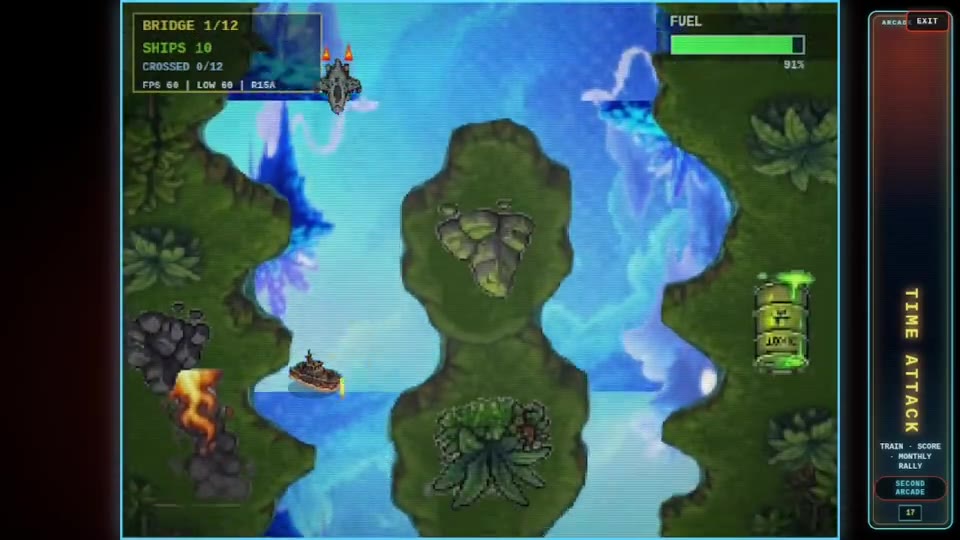
Within ALEXX SkyRider™'s downward vertical action, these functions meet along the same route. Knowing which command is being given helps interpret the result and adjust the next attempt. The aim is for the layout to become more than a list to remember: it becomes a clear way to communicate the chosen maneuver.
Sources
- K1: Project documentation — Portal